
Choosing the right homeschool technology means balancing three core categories: devices that support learning, curriculum platforms that structure your academic year, and supplemental tools that keep kids engaged. For New York homeschooling families, this decision carries extra weight because you’ll need technology that not only fits your educational approach and budget but also helps you meet the state’s quarterly progress reporting requirements.
In the interest of transparency, we earn a commission on some purchases made through links on this site. As an Amazon Associate I earn from qualifying purchases.
The good news? You don’t need to purchase everything at once or choose the most expensive options to create an effective learning environment. Many families start with a single reliable device and one comprehensive curriculum platform, then add specialized tools as they identify gaps or opportunities. The challenge lies in distinguishing between marketing promises and actual educational value, especially when a product claims to cover “all subjects” or guarantee grade-level advancement.
New York’s homeschool regulations require you to submit an Individualized Home Instruction Plan and file quarterly reports with your local school district. Technology choices that include built-in assessment tracking, printable progress reports, and attendance logs will save you significant time during reporting periods. This practical consideration should weigh heavily alongside factors like learning style compatibility and subject coverage.
The landscape has shifted considerably. Curriculum platforms like Time4Learning now offer PreK-12 coverage with parent-friendly planning and reporting tools, while K12 has been refining its accredited online programs since 2000. Devices range from the HP 2026 Everyday Laptop to the Boppo Screen-Free Learning Tablet for Kids each serving different age groups and learning objectives. Understanding which technology fits your family’s specific needs, rather than chasing the latest release, will determine whether your investment pays off in genuine educational progress.
What to Look for When Choosing Homeschool Technology
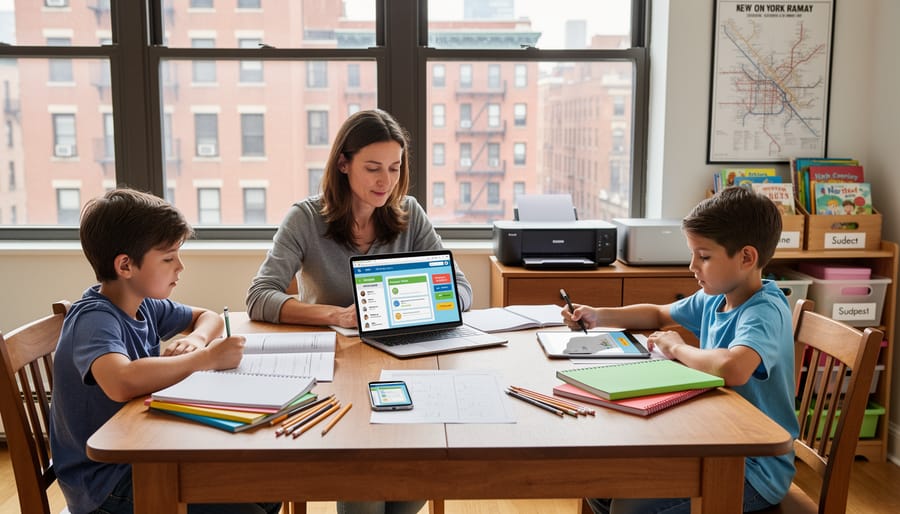
When you’re comparing homeschool platforms and devices, your child’s current grade level should anchor every decision. A tablet loaded with phonics games makes sense for a kindergartener, but a high schooler writing research papers needs a full keyboard and word processing software. Programs like Time4Learning offer PreK-12 content with different interfaces for different ages, while others specialize in narrow grade bands. Check whether the technology will grow with your student or whether you’ll need to replace it in two years.
Learning style matters just as much as age. A kinesthetic learner who struggles to sit still might thrive with a screen-free interactive tablet, while a visual learner could excel with video-based lessons. Some platforms deliver scripted, teacher-led instruction; others let students explore at their own pace. Watch for trial periods so you can test whether your child actually engages with the format before committing to a full-year subscription.
- Grade level compatibility, Verify the content spans your student’s current and next grade to avoid outgrowing the tool quickly.
- Learning style fit, Match the delivery format (game-based, video lessons, reading-heavy) to how your child absorbs information best.
- Curriculum flexibility, Look for programs that let you adjust pacing, skip mastered topics, or integrate with other resources rather than forcing a rigid sequence.
- Parent tools and reporting, Prioritize dashboards that track progress, generate reports for NY homeschooling records, and don’t require tech expertise to navigate.
- Digital vs. print options, Decide whether you want screen-based lessons, printable worksheets, physical textbooks, or a mix; some families need offline backup when internet is unreliable.
- Durability and child-safety features, For younger students, choose devices with rugged cases, parental controls, and content filters. Implementing AAP digital media guidelines helps you set healthy limits.
- Budget and multi-student pricing, Compare monthly vs. annual costs; Prodigy Game charges $19.95 per month for one student but drops to $14.95 for additional children, a common discount structure.
- NY legal documentation needs, Ensure the platform generates attendance logs, progress reports, or grade transcripts that satisfy New York’s quarterly reporting requirements for homeschoolers.
Don’t overlook how technology fits your physical space. If you’re working in a small apartment, a laptop that tucks into homeschool storage beats a desktop setup. Battery life matters when you’re teaching on the go or dealing with an older home’s limited outlets. Finally, read the fine print on what happens if you need to cancel mid-year; some curriculum platforms charge restocking fees or lock you into twelve-month contracts, while others let you pause subscriptions during summer break.
Understanding Your Options: Types of Homeschool Technology
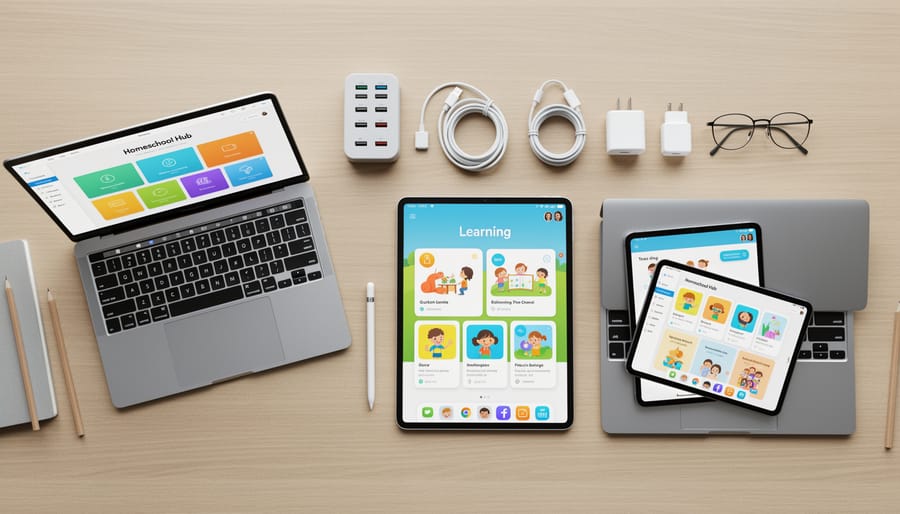
Learning Tablets for Younger Students

Learning tablets designed for younger students combine educational content with protective features that make them ideal for elementary-age homeschoolers. Unlike adult tablets or phones, these devices come preloaded with age-appropriate games, reading apps, and math activities that align with early learning standards. They’re built to withstand drops, spills, and the rough handling that comes naturally when a six-year-old is in charge of the device.
What sets kid-focused tablets apart is the robust parental control system. You can limit screen time, approve which apps your child accesses, and track what they’ve been working on, all essential when you’re managing both teaching and household responsibilities. Many models include bumper cases, shatter-resistant screens, and simplified interfaces with large icons that young learners can navigate independently once you’ve set them up.
For families concerned about excessive screen exposure, screen-free learning tablets offer an alternative worth considering. These devices use physical game cartridges or pre-loaded interactive activities that don’t involve staring at a backlit display, making them a smart addition to your supplies shopping list if you’re balancing digital learning with hands-on work.
When choosing a learning tablet for elementary students, prioritize durability and content quality over processing power. Your first-grader doesn’t need the fastest processor, but they do need a device that survives being tossed in a backpack and offers genuinely educational content rather than thinly disguised entertainment.
Laptops for Middle and High School

Middle and high school students need full-featured laptops capable of handling research papers, complex assignments, and advanced coursework. Unlike tablets designed for younger learners, these machines must support multiple browser tabs, word processing with proper formatting, spreadsheet work, and sometimes coding or design software.
Processor power matters for multitasking, look for Intel Core i3 or AMD Ryzen 3 as a minimum, with i5 or Ryzen 5 preferred for smoother performance when running research alongside essay drafts. Storage requirements have shifted: 128GB covers basic needs if students work primarily in cloud-based tools like Google Workspace, but 256GB provides breathing room for offline files and software installations.
Battery life directly affects homeschool flexibility. A laptop that lasts eight hours supports a full day of lessons without tethering students to outlets, while twelve-hour models accommodate field trips and library sessions. Check the actual battery capacity, not just manufacturer claims.
Bundled software like Office 365 adds immediate value, eliminating separate purchases for Word, Excel, and PowerPoint. Many student laptops now include one-year subscriptions, though you’ll need to factor renewal costs into your budget. Weight and build quality also deserve attention, middle schoolers will carry these devices around the house and beyond, so durability trumps the thinnest profile.
Online Curriculum Platforms
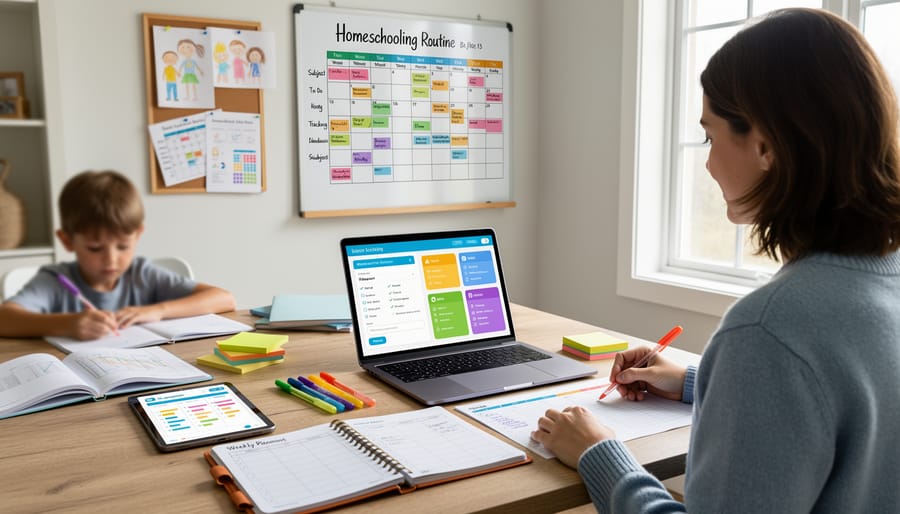
Online curriculum platforms deliver complete K-12 programs through your web browser, combining lesson plans, instructional videos, interactive activities, and automated grading in one subscription. Unlike supplemental software, these platforms aim to be your primary curriculum across multiple subjects. Time4Learning and Power Homeschool both offer PreK-12 coverage with parent dashboards that track progress and generate reports, while K12 provides accredited programs with more than two decades in online education. Schoolio stands out by offering both digital and print formats for grades 1-8, giving families who want flexibility between screen-based and hands-on learning the best of both worlds.
The strongest platforms include built-in record-keeping tools that align with NYC homeschooling documentation requirements automatically logging attendance, tracking lesson completion, and exporting quarterly progress reports. This feature saves New York families hours of manual documentation and ensures you meet state oversight obligations without extra administrative work. For subject-specific gaps, pair your core platform with targeted resources like our online science guide to strengthen areas where your child needs more depth. Most platforms offer free trials, so test the interface and teaching style before committing to a full year.
Supplemental Learning Software
Supplemental learning software fills gaps in your primary curriculum without replacing it. These are the subject-specific programs, math drill apps, phonics games, typing tutors, foreign language tools, that let you strengthen weak areas or add enrichment without committing to an entirely new curriculum. They work best when you already have a teaching plan in place and need targeted practice or a different approach to one subject.
Most supplemental software runs on subscription models, typically monthly or annual. Math platforms like Prodigy charge $19.95 per month for one student, with additional children at $14.95. These fees add up, so evaluate whether your child genuinely needs the program or just enjoys it. A subscription makes sense when it solves a specific problem, your third-grader hates worksheets but will practice multiplication facts in a game format, or your high schooler needs extra grammar drills before tackling essay writing.
Use supplemental software strategically. If your main curriculum already covers a subject thoroughly, adding another layer may create confusion or duplicate effort. Trial periods let you test whether the program actually helps before committing. Watch for multi-student discounts if you homeschool several children, and remember that you can pause or cancel subscriptions between units rather than paying year-round for sporadic use.
Top Device and Platform Recommendations for 2026
The products and platforms reviewed below represent the best homeschool technology options available for New York families right now. Each has been selected based on specific age ranges, learning needs, and family situations you’re likely navigating.
We’ve organized these recommendations to help you match technology to your child’s development stage, not the other way around. You’ll find options for early learners who need tactile, screen-limited experiences, middle-graders ready for independent online work, and high schoolers preparing for college-level research and writing.
| Product/Platform | Best For | Key Feature | Rating |
|---|---|---|---|
| K12 | K-12, structured learners | Accredited with full parent support | 4.5/5 |
| HP 2026 Everyday Laptop | Middle/high school | Bundled Office 365, Copilot AI | 4.3/5 |
| LeapFrog LeapPad Academy | PreK-early elementary | Built-in educational content | 4.6/5 |
| Boppo Screen-Free Tablet | Early elementary | 50+ games, zero screen time | 4.4/5 |
| Time4Learning | PreK-12, flexible families | Award-winning lessons with planning tools | 4.5/5 |
All these options meet NY homeschooling documentation requirements and work well whether you’re teaching one child or managing multiple grade levels. The reviews that follow provide the detail you need to choose what fits your family’s teaching approach and budget.
K-12

K12 stands out as one of the most comprehensive online homeschool options for New York families who want a fully accredited, structured program without the guesswork of assembling their own curriculum. Founded in 2000, K12 has built a solid reputation as a pioneer in online education, offering flexible K, 12 learning that covers every core subject with a cohesive approach.
The platform provides complete lesson plans, instructional materials, and grading, essentially everything you’d find in a traditional classroom, adapted for home. Parents act as learning coaches rather than curriculum designers, which appeals to families who prefer clear daily schedules and ready-made lessons over building everything from scratch. Each course is designed to meet grade-level standards, and the accreditation means your child’s progress is recognized should they transition back to traditional school or pursue college admission.
K12’s parent dashboard gives you real-time visibility into your child’s work: what they’ve completed, where they’re struggling, and what’s coming next. This transparency makes it straightforward to fulfill New York’s homeschooling documentation requirements, since the platform automatically tracks attendance, assignments, and grades. You can generate quarterly reports without manually compiling records, which saves considerable administrative time.
The flexibility within K12’s structure is worth noting. While the curriculum is pre-set, students can work at their own pace, spending extra time on challenging concepts or moving quickly through mastered material. This pacing control distinguishes it from rigid online schools with fixed schedules. You maintain the freedom to take field trips, adjust daily learning hours, or pause for family needs while still following a complete educational path.
With a 4.7 out of 5 rating from over 6,000 customer reviews, K12 consistently earns praise from families who value the blend of independence and academic rigor it provides for New York homeschoolers.
HP 2026 Everyday Laptop

The HP 2026 Everyday Laptop delivers the computing power and software bundle middle and high school homeschoolers need for research projects, essay writing, and online coursework without draining the family budget. Its Intel processor handles multiple browser tabs, video calls with co-op teachers, and document editing simultaneously, while 128GB of storage provides ample room for essays, presentations, and downloaded curriculum materials.
Office 365 comes bundled with the laptop, giving your student immediate access to Word, Excel, PowerPoint, and OneNote, essential tools for writing papers, building spreadsheets for science labs, creating presentations, and organizing notes across subjects. The Copilot AI feature can assist with research tasks and writing support, though you’ll want to establish clear guidelines with your teen about appropriate use and academic integrity. This laptop is currently in stock and has earned a 4.2 out of 5 rating from 1,061 customer reviews, reflecting solid real-world performance in student households.
For New York homeschooling families, this laptop simplifies record-keeping and portfolio assembly. Students can maintain digital folders organized by subject, save writing samples and project files in one place, and generate polished documents that meet your quarterly reporting requirements. The machine’s portability means your teen can work at the kitchen table, take it to library study sessions, or bring it along to co-op classes.
The HP 2026 Everyday Laptop fits families who need one reliable device per student rather than a shared computer that creates scheduling conflicts. It works particularly well for households using online curriculum platforms or supplemental programs that require a full desktop browser and keyboard for optimal performance. If your middle or high schooler is transitioning from tablet-based learning to more rigorous independent coursework, this laptop provides the professional tools they’ll use through graduation and beyond.
LeapFrog LeapPad Academy Kids’ Learning Tablet

The LeapFrog LeapPad Academy arrives in a bright green case that signals its target audience immediately: this is a tablet built for little hands and early learning curiosity. Designed for children ages 3 through 8, it ships with educational content already loaded, so families can hand it to a PreK or kindergarten student without hunting for apps or configuring accounts first. The interface uses large icons, simple touch controls, and age-appropriate graphics that guide young learners through activities without constant parent intervention.
Durability stands out as a core design choice. The tablet features a thick rubber bumper around the screen and a reinforced frame that absorbs the inevitable drops and tumbles of preschool and early elementary use. The bumper also provides a textured grip, making it easier for small fingers to hold securely during extended learning sessions. Parents report that this construction holds up well to daily handling by multiple children, a practical consideration for homeschooling families with siblings close in age.
The built-in content library covers early literacy, math concepts, problem-solving, and creativity through games and activities aligned with kindergarten through second-grade learning standards. Families appreciate that the tablet doesn’t require a constant internet connection for these core features, allowing children to use it during car rides, waiting rooms, or any setting where Wi-Fi isn’t available. The parent dashboard, accessible through a separate login, lets you track which activities your child completed, how long they spent on each, and where they struggled or excelled, useful data for adjusting your homeschool lesson plans.
With a customer rating of 4.5 out of 5 from 6,105 ratings and current availability, the LeapPad Academy offers a low-friction entry point for New York homeschoolers introducing technology to early learners. It fits families who want educational screen time with built-in guardrails and minimal setup, particularly those teaching multiple young children who need independent activities while you work one-on-one with an older student.
HP 14″ Ultra-Light Laptop for Student & Home

The HP 14″ Ultra-Light Laptop offers a compelling balance of portability and functionality that appeals to homeschooling families watching their budget without sacrificing essential features. With a customer rating of 4.3 out of 5 stars from 306 reviews, this laptop has proven itself among real users looking for reliable student technology.
What sets this model apart is the bundled one-year subscription to Office 365, giving your middle-grade student immediate access to Word, Excel, PowerPoint, and OneNote without additional software purchases. That bundle alone represents significant savings and means your child can start writing research papers, creating presentations, and organizing notes the day the laptop arrives.
The Intel Celeron N4500 processor paired with 4GB RAM handles typical homeschool tasks smoothly. Your student can run online curriculum platforms like Time4Learning or K12, stream educational videos, conduct research in multiple browser tabs, and work on writing assignments without frustrating lag. The 64GB eMMC storage keeps the system responsive, while the included 64GB SD card doubles your storage capacity for documents, projects, and downloaded resources.
Battery life matters when you’re homeschooling, and the 12-hour rating means your child can work through a full day of lessons without hunting for outlets. Fast charging gets the laptop back to full power quickly during lunch or breaks. The webcam supports virtual co-ops, online tutoring sessions, and family check-ins with relatives, while Wi-Fi 6 ensures stable connections for streaming lessons or video calls.
Running Windows 11 Home in S mode provides built-in security and performance optimization. You can switch out of S mode if needed, but many families appreciate the added protection and app vetting for younger students.
At under four pounds, this laptop moves easily from kitchen table to bedroom desk to library trips. It’s not a powerhouse for advanced video editing or intensive gaming, but that’s not its purpose. For a middle-school homeschooler who needs a dependable machine for writing, research, and online learning platforms, this HP delivers solid value.
Boppo Screen-Free Learning Tablet for Kids

The Boppo screen-free learning tablet offers a compelling alternative for families looking to incorporate technology into their homeschool while keeping screen time in check. Unlike the backlit devices we’ve covered so far, this tablet delivers interactive learning through audio prompts and physical buttons rather than a glowing display. It comes pre-loaded with more than 50 educational games, eliminating the need to manage app subscriptions or monitor what your child accesses.
The device works entirely without a screen. Kids navigate games by pressing buttons and following audio instructions, which engages different cognitive pathways than visual learning alone. This tactile approach appeals to kinesthetic learners who struggle to sit still in front of a monitor or who become overstimulated by fast-moving visuals. Parents report that the absence of a screen makes it easier to set boundaries around use; there’s no temptation to veer off into videos or unrelated apps.
The 50+ built-in games cover early elementary skills like letter recognition, phonics, basic math, and logic puzzles. Content is permanently loaded, so the tablet works without internet access, making it portable for car trips, waiting rooms, or outdoor learning time. This also means no recurring fees or content updates to manage, though it also means you’re locked into the provided library.
With a 4.5 out of 5 rating from 55 customer reviews and current in-stock availability, the Boppo has attracted positive feedback from families seeking a screen-free option. It fits best for early elementary homeschoolers who benefit from hands-on, auditory learning and for parents who want to supplement core curriculum without adding more screen exposure. If your child already spends significant time on tablets or computers for other subjects, this device can balance your technology mix while still offering structure and skill-building.
Kids Tablet 10 Inch

This 10-inch Android tablet bridges the gap between toddler-focused devices and full-featured laptops, making it a practical middle ground for elementary through middle school students. The larger screen gives kids more workspace for reading comprehension passages, following multi-step math problems, and accessing free homeschool resources without constant zooming. That extra real estate matters when you’re working through a science simulation or comparing two documents side-by-side.
The parental controls let you set daily time limits, approve apps before they install, and filter content by age rating. You manage everything from a separate parent dashboard rather than toggling settings on the device itself, which prevents tech-savvy middle schoolers from adjusting their own restrictions. This supervision layer becomes critical when kids move beyond curated educational apps and start requesting YouTube, messaging apps, or web browsers for research projects.
Running Android 16, the tablet supports the full Play Store library, so you’re not locked into a single vendor’s app ecosystem. Install your preferred math practice app, load e-books from your library’s Overdrive system, and add subject-specific tools as your curriculum evolves throughout the year. The flexibility appeals to families who patch together multiple resources rather than committing to one all-in-one platform.
The teal color option distinguishes this device from siblings’ tablets if you’re managing multiple students, reducing the “whose tablet is this?” confusion that slows down morning lesson rotations. At 4.5 out of 5 stars from 45 customer ratings, parents generally report stable performance for educational tasks, though a few note the need for a protective case since the device isn’t ruggedized like dedicated kid tablets.
Consider this tablet when your student has outgrown the limited app selection on toddler devices but isn’t ready for the open internet access a full laptop provides. The parental controls give you a managed transition period where they build digital literacy skills under your direct oversight.
Prodigy Game
Prodigy Game turns math practice into an adventure through its game-based learning platform designed for pre-K through 8th grade students. Instead of traditional worksheets or drill exercises, children create custom avatars, explore a fantasy world, and solve math problems to progress through quests and battles, making skill-building feel more like play than homework.
The platform adapts to each student’s level, delivering questions aligned with their current abilities and gradually increasing difficulty as they demonstrate mastery. This personalized approach works especially well for homeschooling families with multiple children at different grade levels, since each student follows their own path through the curriculum. The content covers core math standards from counting and number sense in the early years through pre-algebra concepts for middle schoolers, making it a comprehensive supplement to your primary math curriculum rather than a standalone program.
Prodigy’s subscription model costs $19.95 per month for your first student, with additional students at $14.95 each, a pricing structure that recognizes the reality of homeschooling multiple children. The premium membership unlocks progress reports, personalized learning paths, and additional in-game content that keeps students motivated. A free version exists with basic gameplay, though the reporting tools and full curriculum access that homeschooling parents typically need require the paid subscription.
What makes Prodigy particularly valuable as a supplement is how it handles the repetition necessary for math fluency without the resistance many children show toward traditional practice. Students willingly log in for “just one more battle,” accumulating dozens of correctly-solved problems in a single session. Parents can review detailed reports showing which specific skills their child has mastered and which need more attention, making it straightforward to align Prodigy practice with your core math lessons and identify gaps requiring direct instruction.
Time4Learning
Time4Learning delivers a PreK-12 online curriculum that strikes a practical balance for families who want structure without sacrificing flexibility. The platform has earned awards for its interactive lessons, which cover core subjects like math, language arts, science, and social studies, plus electives ranging from art to coding. Each course is self-paced, so a fifth-grader who’s ahead in math can work at her own speed while taking more time with writing, and a high schooler can tackle chemistry when she’s ready rather than following a rigid calendar.
The parent dashboard is where Time4Learning shines for busy homeschooling parents. You can view detailed progress reports, check assignment completion, and print transcripts, all features that make meeting New York’s annual assessment and record-keeping requirements straightforward. The automated grading for quizzes and tests saves you hours each week, and the built-in lesson plans mean you’re not starting from scratch every Monday morning. If you’re juggling multiple students, the platform lets you switch between profiles quickly and track each child’s work separately.
Lessons combine animations, printable worksheets, and hands-on activities, which helps keep younger learners engaged and gives older students the variety they need to stay motivated. The platform also includes supplemental tools like spelling lists and an online playground for elementary students to practice skills through games. While Time4Learning covers the essentials comprehensively, many families round out their homeschool with affordable art supplies physical education, and field trips to add depth beyond the screen.
For New York homeschoolers who value a complete curriculum with built-in accountability but still want the freedom to adjust pacing and add their own enrichment, Time4Learning offers a solid foundation that grows with your students from preschool through high school.
Common Mistakes to Avoid When Buying Homeschool Technology
Many families waste money by rushing to buy the latest tech without first understanding what actually works for their children. The biggest mistake is overbuying before you’ve identified your child’s learning style, a tablet loaded with math games won’t help a hands-on learner who needs manipulatives, and an expensive online platform might sit unused if your child thrives with books. Start with one or two tools, see how your student responds, then expand gradually.
Ignoring multi-student pricing is another costly error. Programs like Prodigy Game charge $19.95 per month for the first student but only $14.95 for additional children, so plan purchases with your whole household in mind rather than buying separately for each learner. Similarly, many families choose devices without adequate parental controls, then struggle to limit screen time or monitor content, especially critical for younger elementary students who need supervision as they navigate online learning environments.
Don’t neglect NY record-keeping compatibility when selecting platforms. Some curriculum systems generate the detailed attendance logs and progress reports you’ll need for your quarterly assessment or annual review, while others leave you scrambling to compile documentation manually. If you already use a homeschool planner for tracking, verify that your tech tools integrate smoothly rather than creating duplicate work; a quick planner comparison can show which formats accept digital imports.
Falling for trendy tools that don’t match your curriculum needs is surprisingly common. A flashy AI tutor won’t help if your teaching approach emphasizes narration and living books, and a comprehensive platform like Time4Learning might be overkill if you’re just looking for supplemental math practice. Match the tool to your actual teaching philosophy, not the marketing hype, and take advantage of free trials to test fit before spending.
Making Technology Work Within Your Homeschool Budget
Homeschool technology doesn’t have to break the bank if you approach it strategically. Start by distinguishing true needs from nice-to-haves. Your second-grader genuinely needs reading and math resources, but probably doesn’t need every supplemental app on the market. List your core requirements, one or two curriculum platforms, a reliable device per student or shared between younger children, and resist the temptation to accumulate tools before you’ve tested what works for your family.
Multi-student pricing can dramatically reduce your costs. Prodigy Game, for example, charges $19.95 per month for the first student but only $14.95 for additional children, saving families with several learners nearly $5 per student monthly. Many online curriculum platforms offer similar sibling discounts, so always check pricing tiers before purchasing individual subscriptions. If you have three or four children, these savings add up to hundreds of dollars annually.
Grants specifically support homeschooling families facing technology barriers. LoveWell Spent’s Digital Access Grant helps families acquire devices and internet access when budget constraints would otherwise limit learning opportunities. Research similar programs through your local library system, homeschool co-ops, and New York homeschooling organizations, many offer equipment lending or technology stipends you might not know exist.
Refurbished devices from reputable sellers provide solid performance at 30-50% off retail prices. Manufacturer-certified refurbished laptops often include warranties comparable to new units, making them practical for students who need reliable machines for writing and research but don’t require the latest specs.
Finally, align your purchases with your teaching approach. Families using mostly physical books and hands-on activities need minimal technology investment, perhaps one shared laptop for occasional research. Those relying heavily on online curriculum should prioritize robust devices and quality platforms over supplemental apps. Buy what serves your actual homeschool, not an idealized version you haven’t built yet.
Main Options Compared
When choosing homeschool technology for your New York family, you’re essentially deciding between three main approaches, each with distinct trade-offs. Online curriculum platforms like K12, Time4Learning, and Power Homeschool deliver comprehensive PreK-12 programs with built-in lesson plans, grading systems, and parent dashboards. They offer the most structure and work well for families who want an all-in-one solution that handles record-keeping for NY homeschooling requirements. The downside is less curriculum flexibility and higher annual costs compared to piecing together your own materials.
Learning devices whether tablets for younger students or laptops for middle and high schoolers, provide the hardware foundation but require you to supply the educational content separately. Tablets like the LeapFad Academy come with pre-loaded lessons suitable for early learners, while laptops enable research, writing, and access to any online resources you choose. This approach maximizes curriculum freedom but demands more planning from parents.
Supplemental learning software such as Prodigy Game fills specific subject gaps without replacing your primary teaching method. At $19.95 per month for one student, these targeted tools cost less than full platforms but won’t meet your complete homeschooling needs. Most families combine all three types, starting with either a device or platform foundation, then adding supplements as specific learning needs emerge.
Frequently Asked Questions
Do I need a separate device for each child?
Not necessarily. Younger children can share tablets with proper scheduling, especially if you’re using platforms that allow multiple student profiles. However, middle and high school students doing independent research and writing typically need their own device to maintain momentum in their coursework.
How much should I budget for homeschool technology?
A realistic starting budget ranges from $300 to $800 per student, depending on device needs and curriculum choices. You can reduce costs significantly by prioritizing one quality device, exploring multi-student pricing (like Prodigy Game’s $14.95 per additional student), and applying for grants such as LoveWell Spent’s Digital Access Grant.
What documentation do NY homeschoolers need from online platforms?
New York requires quarterly reports and annual assessments showing your child’s educational progress. Choose platforms with robust parent dashboards that track completed lessons, grades, and time spent, systems like Time4Learning and K12 provide the reporting tools needed to satisfy NY’s record-keeping requirements.
Are screen-free learning tools effective for homeschooling?
Screen-free options like the Boppo tablet work well for hands-on learners and families limiting screen exposure, particularly in early elementary grades. They’re most effective as supplements to your core curriculum rather than standalone teaching tools, offering interactive reinforcement without the distraction concerns of internet-connected devices.
When evaluating any technology purchase, consider your teaching style first. If you prefer directing lessons yourself with technology as a supplement, you’ll need less robust software than families seeking a complete online curriculum. Start with the essentials that match your child’s current grade level and learning preferences, then add tools as specific needs arise. Many New York homeschooling families find success beginning with a single reliable device and one or two well-chosen platforms, expanding their technology setup gradually as they discover what genuinely supports their educational goals rather than what simply sounds appealing.
Choosing the right homeschool technology for your New York family doesn’t mean buying every device and platform on the market. It means understanding your child’s age, learning style, and your teaching approach, then selecting one or two tools that genuinely support those needs. A kindergartener thriving with hands-on activities may do better with a screen-free tablet or minimal software, while a high schooler managing research papers and college prep will need a reliable laptop and perhaps an online curriculum with robust reporting.
Start small. Pick the essential that addresses your most pressing gap, whether that’s a device your child can use independently, a curriculum platform that handles lesson planning, or supplemental software that makes a challenging subject more engaging. You can always add more later as your homeschool rhythm becomes clear and your budget allows.
Remember that technology is a tool to enhance your teaching, not replace it. The parent-child relationship remains the foundation of successful homeschooling in New York, and no app or platform can substitute for your guidance, encouragement, and daily involvement. Use technology where it genuinely helps, streamlining record-keeping for state requirements, offering practice in weak areas, or providing structure when you need it, but keep it in service of the deeper work you’re doing together. Trust your instincts, start with what matters most, and build your homeschool tech setup as thoughtfully as you build your curriculum.